Posts Tagged ‘Software’

Android runner app: iMapMyRun

Sunday, April 24th, 2011

I was prompted on Twitter to test out the Android mobile app “iMapMyRun” and so I did today. My first impression was that the software is not there yet, it has not reached a mature enough state to seriously compete with BuddyRunner or Endomondo or CardioTrainer or to be used even for beginners.

When registering I got buttons to select imperial/european units but none of the buttons seemed to work when I pressed them and in the end I had to chose to move on. When I did so I could not find another way to go back and change the settings, nor could I update my personal data such as weight and so on.

Today I took it for a test run and I used other tracking software at the same time. After about 2/3 of the way the iMapMyRun software stopped recording it seems and instead it just plotted the last position when I turned it off at my finish. Therefore it just went in a straight line for the last 1/3 of the run. Definitely something fishy was going on there. Neither did it record the GPS elevation data for some reason, the accompanying web site says “There was an error retrieving the elevation”, I have no idea why. Of my 5 km run this app recorded only 3.

Both other recording apps (Google Tracks and Endomondo) worked fine through all this. On top of all that it feels unintuitive and quirky and a little backwards but that may be just me expecting things from being used to the other apps in this field.

When the workout finished I got a ridiculous question about peanyut butter, an ad that felt intrusive and out of place. Peanut butter is hardly the stuff for athletes so it felt rather misplaced. The whole app and the accompanying web site is riddled with ads. If you are viewing your runs, you have to upgrade to the payed version or wait 15 seconds before you can see your run. Again it is not on the level with the competing softwares in this respect.

My recommendation is to wait and see if this app matures. In the mean time check out BuddyRunner or Endomondo, both very mature and well working GPS tracking apps for runners.

It gets one running shoe out of five for now.

EasyTether for Android

Wednesday, March 17th, 2010

Fantastic application. Connect your mobile with the USB cable to your laptop, install driver and EasyTether program on your mobile and use your mobile as a mobile broadband internet connection while you are charging your phone!

This is a fantastic development, when I got my Android phone I missed that kind of application and there was some hacks that could be used but nothing that worked this good.

It does not require a root:ed phone, it just works. The software will soon cost a few bucks but it is well worth it if you want to be able to use your phone as a gateway to the internet.

It also uses the phones built-in firewalling capabilities protecting your laptop from attacks from the outside by filtering various protocols. You might even filter UDP ports (except DNS requests) if you like.

(links are coming)

The finest Android Applications

Sunday, January 31st, 2010

This is a summary on my favourite applications on the Android platform. If you have an android phone and wish to test one of the applications, check that you have the “Barcode Scanner” application installed first, then you can use this application on the QR Codes for each section to automatically get the link to that software in Android Market. Once the code is scanned use “Open in browser” function.

My favourite Swedish software is described in Swedish at the bottom of this article.
(more…)

PGP/GPG integration in Windows

Wednesday, December 23rd, 2009

If you are using Thunderbird, Outlook, Outlook Express, or other email clients you can now integrate PGP/GPG usage easily with your email by installing the following package:

GPG4Win

It will install all the necessary components for you.

Celestia

Sunday, September 20th, 2009

I have found a new software on the net that I really can spend hours and hours toying around with. This is Celestia – a beautiful astronomical and scientifically correct model to the best of our understanding yet of the universe. Celestia works on Windows, Linux and Mac OS X as well.

You quickly learn how to use the zoom in and out features, how to track celestial objects through the sky but the one thing that strikes me the most is how incredibly alone I feel after a while. I have been standing on Phobos and Deimos, looking down on the face of Mars and although they are just small rocks they are quite far away from the planet that they orbit. I have been amazed over how far from the planet some of the satellites of Jupiter and Saturn are and the sheer number of orbiting bodies around Neptune. And then I suddenly stumbled uppon Cassini, the space probe, still going toward the outermost parts of the solar system.

I have traveled to galaxies far beyond a human comprehension and lost myself along clusters too far from the sun that it was impossible to see the Milky Way again. I have discovered the Greater and Lesser Magellan Clouds and amazed that we and Andromeda are so close in a universe on a perverse macro scale.

This my friends are just amazing. And it is freeware. Download, enjoy if you are an Astronomy buff.

All pictures here are taken from the software.

tethys-saturn-sol

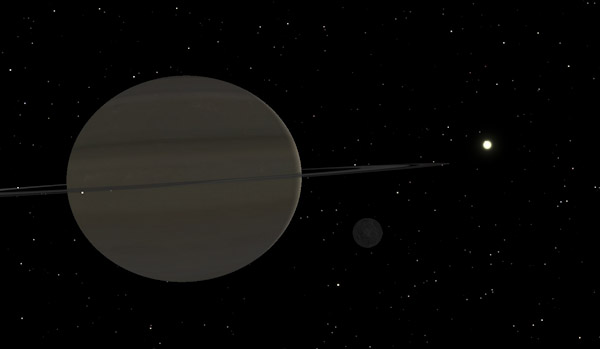
The planet Saturn and moon Tethys and the sun can also be seen here.

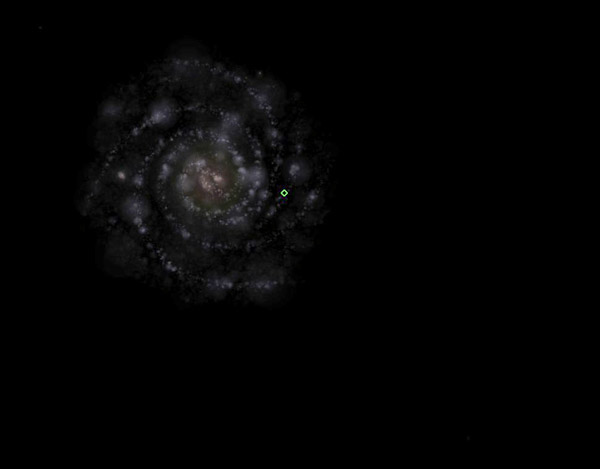
The Milky Way galaxy as seen from a distance half-way from here to Andromeda (M31). The green marking is the location of the sun. You are here.

The Milky Way galaxy as seen from a distance half-way from here to Andromeda (M31). The green marking is the location of the sun. You are here.

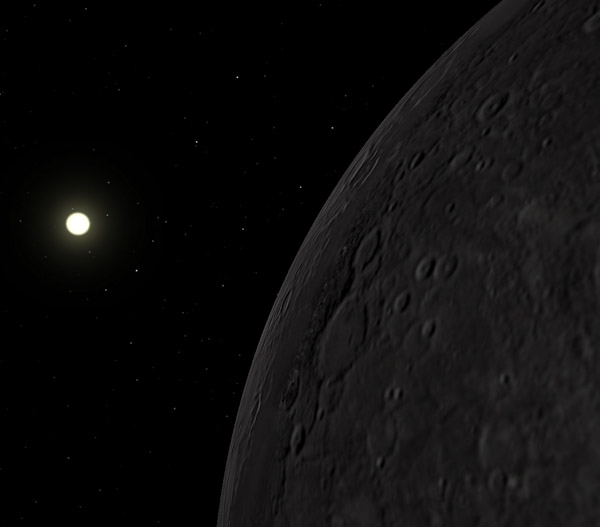
Sunrise over Mercury

Sunrise over Mercury

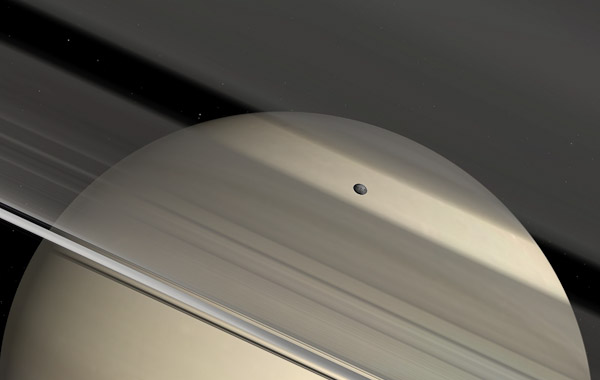
The moon "Pan" orbiting Saturn, one of the more mysterious objects in the skies. There are still so many unsolved mysteries about Saturn's rings...

The moon "Pan" orbiting Saturn, one of the more mysterious objects in the skies. There are still so many unsolved mysteries about Saturn's rings...

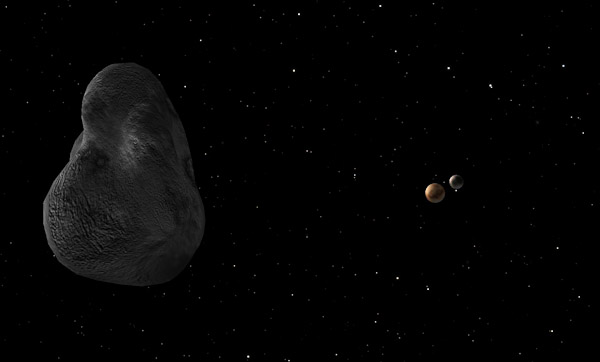
The planetoid Pluto as seen from one of its moons, Hydra. Anoter moon is seen beyond Pluto, this is Hades.

The planetoid Pluto as seen from one of its moons, Hydra. Anoter moon is seen beyond Pluto, this is Hades.

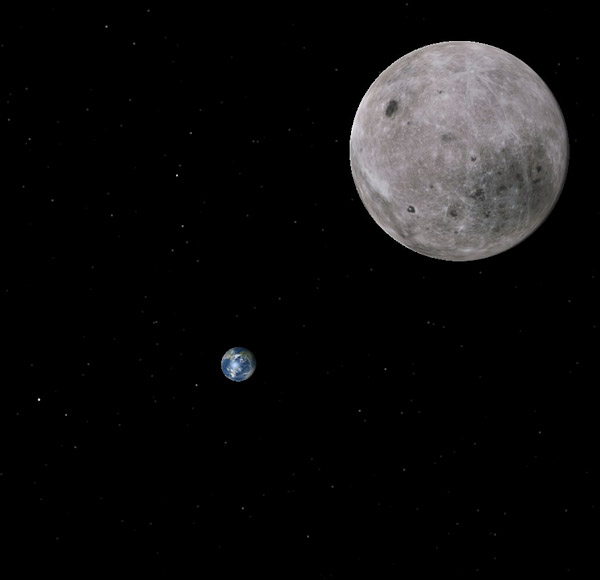
Passing the moon on my way back to Earth after a long voyage...

Passing the moon on my way back to Earth after a long voyage...

Two great utilities

Saturday, July 11th, 2009

There are two great utilities out there that I use now and then to keep the computer nice and tidy (and fast at that). One is a cleaner utility that can remove lots of old gunk in the machine, cleaning out web browser caches and other such bits and pieces, the other is a very fast and good defragmentation program.

Cardio Training with the Android

Saturday, July 11th, 2009

Since I got my HTC Magic phone, the second generation Android operating system from Google and a lovely phone I have worked out using two different softwares that I would like to share.

These softwares are CardioTrainer and BuddyRunner, two wonderful applications to help you run well when doing exercise. Both offer similar features and are mainly aimed at runners that want to keep statistics on their exercise and perhaps also their competitions.

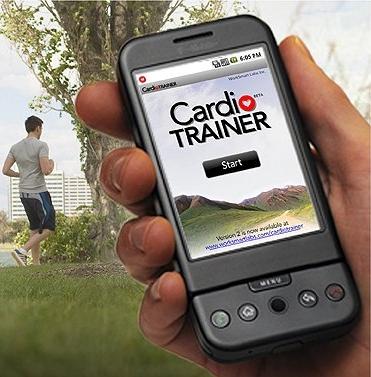
The Cardio Trainer Android application

The Cardio Trainer Android application

But what do they do? To make a long story short they are both personal trainers and logging instruments that can upload your running data to a web site where you can review what you have done and compare runs over time.

They are using the GPS in the phone to log your position periodically and thus can calculate your speed. They also measure the time and therefore knows at all times your speed and pace, the distance you have ran so far and in what time you did it.  If you are using earphones and listening to music on your Android mobile as you run they will muffle the music or silence it completely and announce the running data periodically.

Feature-wise they are very similar, CT offers more settings to smooth out GPS positions during a run which can be good if you get bad measurements occasionally but won’t really help much in the long run, so to speak, but after testing the two producs side-by-side I can only conclude they are very similar in the distance they measure when running. The distance on both of them is perhaps a bit on the conservative side compared to distance measured on map or with a really good outdoor GPS (Magellan eXplorist XL) which shows a slightly longer track most of the time. Not certain why this is but they seem to be on the conservative side. My 2 km track registers as 1 850 meters roughly and that is 7.5% on the conservative side.

CT has a huge disadvantage for us Europeans, the tracks it records are shown in metric units on the handheld if you set it up to do so, but on the website everything is by imperial measurements which is really sad because it is otherwise a very good application. I have written them and they are looking into developing it. In fact there’s been two new versions of CardioTrainer released recently both with some small improvements.

The Buddy Runner

The Buddy Runner

BuddyRunner however has a really wonderful web site where you can see the run on a Google Maps interface, statistics on your run such as pace for each part of the run, and elevation. It is interesting to see the elevation go up and the pace time per km increase at the same time. You can compare several runs (up to three) download your running track and it keeps tracks of your records, longest, fastest and so on. Over all it is a much more developed web site than CardioTrainer has. However the application on the handheld is less sophisticated, it does not have the same filters and settings as CardioTrainer does and when it speaks to you it always abruptly pauses the music, the CardioTrainer can lower the volume but keep the music running which is better if you are trying to keep your pace to the music.

In the phone however both applications are very similar however and the settings screen also offers settings to change the announcer frequency and the contents of the announcing messages. BuddyRunner performs well int he background but CardioTrainer wants to run in the foreground, otherwise it pauses. CardioTrainer can also automatically play a certain playlist of music for you while BuddyRunner just leaves the music player alone.

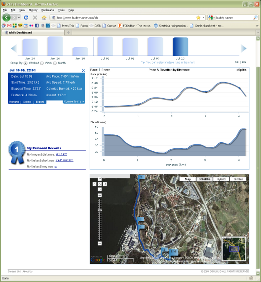
Example of the website for Buddy Runner, click to check it out in reality.

Example of the website for Buddy Runner, click to check it out in reality.

Sharing your things with others is easy on the BuddyRunner, the application and webside can write RSS feeds to your Facebook, Twitter or Friendfeed site and so on, you may show your dashboard to anyone you like, they can’t manipulate it unless you log in but they can leave a comment on your run if they want to.

CardioTrainer has a secret passcode to the webside, you can not display it without this code and when you enter the code you may also remove runs and modify the content, so you would not want to post that publicly. There is also right now no integration with Facebook, Twitter and similar sites, no RSS feeds and the tracks can not be downloaded from the site.

In the end the factor that is the most deciding one for me is the website. BuddyRunner has a much better web site and I love the feature that you can download your runs in GPX format to have them displayed on Google Earth or some similar mapping software if you like. Great stuff!

Direct links for Magellan software

Thursday, April 9th, 2009

If you are using the eXplorist or Triton series of Magellan GPS receivers you should not miss out on the new fantastic VintagePoint software. And the old MapSend Lite is still there for grabs.

All from MagellanSweden.

Backup your Windows Mobile

Sunday, January 18th, 2009

Dotfred’s Space has a backup software free of charge to back up everything on your Windows Mobile device. The problem here is that WM required you to back up contacts and so on using an MS Exchange server. This software allows you to create a backup file and then restore it and does not rely on any other software to do it.

Great stuff if you are using a Windows Mobile based PDA/Mobile phone such as the Ericsson X1 or the HTC series of mobiles. Works with both touch-screen and non-touch-screen mobiles.

Geocaching Swiss Army Knife

Tuesday, January 6th, 2009

I have always relied on the excellent Magellan Mapsend Lite software to manage and keep track of my Geocaches but if you do not have this software or if you need something more database orientated to keep track of a huge number of caches then the GSAK is for you.

This software is very useful for keeping track of any kind of coordinates but is especially useful for geocachers since it plugs right in to Google Maps, Geocaching.com and other such sites. It makes it easier to build local filters showing only caches you are interested in for the moment.

I can recommend this software wholeheartedly.

Upgrade your Magellan eXplorist

Sunday, January 4th, 2009

ExploristIf you have not done so already, get the firmware files here to upgrade your favourite GPS unit. This upgrade adds several new features and modes, correct several well known problems and generally makes things much more stable.

And while you are at it, download and install Mapsend Lite if you have not done so already. Great software for planning your trips on the computer before you go outdoors.

Cooliris 1.9

Friday, January 2nd, 2009

This is a wonderful way of browsing photographic sites such as Flickr and others. It transforms your web browser into a sort of cinematic way to discover the photos and scroll through them.

Although I am not certain exactly what it is good for it is at least impressively fast and very nicely done and it plugs in with Flickr greatly. When checking out someones photo stream it is a lovely little tool.

Get it here.

Photo Viewer from Microsoft Labs

Sunday, August 17th, 2008

University of Washington and Microsoft are working together to create a new way to browse photos. This is different from the Photosynth [microsoft labs] technology in that angles and positions are being analyzed and so pictures can be related to each other.

By doing this it is possible to “zoom” in infinitely through the world, visiting famous places or just someones living room. Check out this demonstration video.

However, I have serious doubts that this technology will work well in the real world or become a useful product. It is one thing if you have geotagged photographs (that also contains information on bearing and azimuth) but it is a completely different thing on just analyzing the content of the photographs. For example a Volvo S40 car would look just the same in Brazil as it would in Jordan and there are some temples in Greece that are built as replicas of others, to accurately depict them would mean a lot of manual labour unless we can take a new step in geotagging of course.

Geotag your photographs

Thursday, July 24th, 2008

This is going to be a rather lengthy post again but bear with me. It will also be a bit technical so I will have to explain some of the basic technical points before we start on the really nifty things here. But in the end you will learn how to use your GPS receiver to track your movments when shooting outdoor, you will learn how to download this information and use it to geocode your pictures so that when they are uploaded on sites such as Flickr your photographs will automatically appear on the map in the correct location.

The resons for geotagging

It is a way of organising your photographs that is pretty new actually. Never before has it been so easy to know where a certain photograph was taken and it is a great way of finding other people’s photographs from a certain location.

Hacking in the tent

My good friend Torbjörn hacking in the tent

It also means that if you use your GPSr when you are on holiday you know exactly on which spot you were when you took that picture and it is a great way of sharing information about good photographic spots, not to mention that it sort of becomes a photographic diary, tracking your movements around with your camera and GPSr.

There many be also personal reasons for geotagging, for me it started because I am a map freak. I love maps in all sorts of ways and I spend half a fortune on them. These days I mostly use electronic maps because they are more versatile but when I go hiking I always have a paper map as a backup – you never know when electronic will fail you.

There are two kinds of photographers, those who has experienced equipment failure and those who will.

This is very true.
(more…)